GCam for All Phones: The Ultimate Download Guide (2025 Edition)

#

What is GCam (Google Camera)?

GCam is the powerful camera software developed by Google for Pixel phones. When ported to other Android devices, it can dramatically improve your photo quality with features like:


  • Night Sight for incredible low-light shots

  • Astrophotography mode for star photography

  • Super Res Zoom for clearer zoomed photos

  • Improved HDR+ for better dynamic range

Download Latest GCam APK (August 2024)

Here are the most stable GCam ports available right now:

1. BSG GCam (Most Versatile)

📌 Version: MGC_9.2.113_BSG_8.1
✅ Works on: Snapdragon 665/720G/778G/8 Gen 1/2
📥 Download: BSG GCam Official XDA Thread

2. LMC GCam (Best for Mid-Range Phones)

📌 Version: LMC_8.4_R18
✅ Works on: Helio G90T, Dimensity 700-1200
📥 Download: LMC GCam Telegram Channel

3. Shamim GCam (Best for Samsung Exynos)

📌 Version: SGCam_9.1_v25
✅ Works on: Exynos 1080/2100/2200
📥 Download: Shamim GCam GitHub



How to Install GCam

  1. Enable Unknown Sources:

    • Go to Settings → Security → Install unknown apps

    • Allow your file manager to install APKs

  2. Install the APK:

    • Download your preferred version above

    • Open the downloaded file and tap "Install"

  3. Configure Settings (Optional):

    • Open GCam and go to Settings

    • Load recommended config file if available for your device

Best GCam Settings for Perfect Photos

For most phones, these settings work best:

FeatureRecommended Setting
HDR+Enhanced
Night SightAuto (2-4 sec)
PortraitFace Retouching Off
Video4K 30fps (EIS On)

Pro Tip: Visit GCam App for device-specific config files that optimize settings for your exact phone model.

Why Use GCam Instead of Stock Camera?

  • Better low-light performance (up to 4x brighter night photos)

  • More natural colors (avoids oversaturation)

  • Advanced computational photography features

  • Frequent updates with new capabilities

Troubleshooting Common Issues

❌ App keeps crashing?

  • Try an older/more stable version

  • Clear app data and cache

  • Check if your phone supports Camera2API

❌ Photos look green/yellow?

  • Disable AWB (Auto White Balance)

  • Try different HDR modes

  • Install a color correction config file

❌ Portrait mode not working?

  • Enable "AUX Camera" in settings

  • Try different lens selection options

  • Some phones need root for full functionality

Official GCam Port Communities

For the latest updates and support:

Note: Always download from trusted sources like those linked above to avoid malware. We update these links monthly with the newest stable versions.

Download All FRP Unlock Tool- One Click FRP Remove Tools

#

Download All FRP Unlock Tool Crack Full Version Free. All FRP Unlock Tool is an application for windows computer which allows you to remove FRP, Unlock Pin Pattern and Network Unlock, unbrick fix, etc. Vivo FRP Bypass Tool Crack is one of the most rated, used, and comprehensive tools which provides around the clock services to their users. You have had used tons of tools to engage with the problems with your Android but, believe me.


4-min-4


Tool Features:-

Remove Frp (EDL)
Remove Frp (Vivo)
Repair IMEI No.
Factory Reset (EDL)
Remove Mi account
Read And Write Firmware

Compatibility:-Compatible For all Windows computers.

License:- All FRP Unlock Tool for PC Crack Tool is a free utility tool.

Restriction on use:-This software must not be decompiled, disassembled, reserve engineered, or otherwise modified.

Copyright (c):-All FRP Unlock Tool for PC Crack Tool All right reserve.


DOWNLOAD

Download All FRP Unlock Tool for PC Crack- All FRP Unlock Tool for PC

Nowadays, all the latest Android devices come with a Security system to protect the device and owner information. The latest Android devices build-up with Screen lock protection, data encryption, and also comes with Factory Reset Protection (FRP). FRP is the abbreviation of (Factory Reset Protection), FRP is a new security feature


Download Ultimate Multi Tool (UMT) QcFire 2020 Latest Version

#
Download Ultimate Multi Tool (UMT) QcFire without box. Welcome back, Today I share with you Ultimate Multi Tool (UMT) QcFire without box. Vivo FRP Unlock Tool is one of the most rated, used and comprehensive tools which provide around the clock services to their users. You have had used tons of tools to engage with the problems with your Android but, believe me, none of them would be able to reach the level of the Vivo FRP Unlock Tool.

Today we're releasing Ultimate Multi Tool (UMT) QcFire
. As you may know, this is our second release on UMT QcFire. This version is not the

latest but we decided we will give the opportunity to others to get a taste at this tool and if like it. Then you can support the developer by buying original dongles.   


Nowadays, all the latest Android devices come with a Security system to protect the device and owner information. The latest Android devices build-up with Screen lock protection, data encryption, and also comes with Factory Reset Protection (FRP). FRP is the abbreviation of (Factory Reset Protection), FRP is a new security feature

Supported functions UltimateMTK v2.9:

- Read Info
- Reset FRP (For devices supporting this feature)
- Reset Locks (All Android Versions, Encrypted Userdata NOT Supported)
- Read Pattern (Android 5.x and earlier, Encrypted Userdata NOT Supported)
- Format FS
- Format FS (Advance)
- IMEI Repair in META / Boot Mode
- Backup NVRAM
- Restore NVRAM
- Reboot to META / FACTORY / FASTBOOT Mode
- Added Support for Helio CPU (MT6750, MT6755, MT6763, MT6739 etc)
- Disable Lock / Restore Lock for Encrypted Userdata
- Remove Locks for Encrypted Userdata for Vivo
- Factory Reset in META Mode (Vivo, Oppo, and others)
- SafeFormat Option to let device format itself safely in recovery
Added Support for following functions:
– Read Info
– Reset FRP (For devices supporting this feature)
– Reset Locks (All Android Versions, Encrypted Userdata NOT Supported)
– Read Pattern (Android 5.x and earlier, Encrypted Userdata NOT Supported)
– Format FS
– Format FS (Advance)
– IMEI Repair in META / Boot Mode
– Backup NVRAM
– Restore NVRAM
– Reboot to META / FACTORY / FASTBOOT Mode
– Added Support for Helio CPU (MT6750, MT6755, MT6763, MT6739 etc)
– Disable Lock / Restore Lock for Encrypted Userdata
– Remove Locks for Encrypted Userdata for Vivo
– Factory Reset in META Mode (Vivo, Oppo, and others)
– SafeFormat Option to let device format itself safely in recovery

Supported Functions: UltimateMTK v2.5

– Read Info
– Reset FRP (For devices supporting this feature)
– Reset Locks (All Android Versions, Encrypted Userdata NOT Supported)
– Read Pattern (Android 5.x and earlier, Encrypted Userdata NOT Supported)
– Format FS
– Format FS (Advance)
– IMEI Repair in META / Boot Mode
– Backup NVRAM
– Restore NVRAM
– Reboot to META / FACTORY / FASTBOOT Mode
– Added Support for Helio CPU (MT6750, MT6755, MT6763, MT6739 etc)
– Disable Lock / Restore Lock for Encrypted Userdata
– Remove Locks for Encrypted Userdata for Vivo
– Factory Reset in META Mode (Vivo, Oppo, and others)
– SafeFormat Option to let device format itself safely in recovery
Features Added: Ultimate MTK V2.4
– Read Info
– Reset FRP (For devices supporting this feature)
– Reset Locks (All Android Versions, Encrypted Userdata NOT Supported)
– Format FS
– Format FS (Advance)
– IMEI Repair in META / Boot Mode
– Backup NVRAM
– Restore NVRAM
– Reboot to META / FACTORY / FASTBOOT Mode
– Added Support for Helio CPU (MT6750, MT6755, MT6763, MT6739 etc)
– Disable Lock / Restore Lock for Encrypted Userdata
– Remove Locks for Encrypted Userdata for Vivo
– Factory Reset in META Mode (Vivo, Oppo, and others)
– SafeFormat Option to let device format itself safely in recovery

Added Features of Ultimate Multi Tool update version:-

Added support: All Samsung latest and old devices are supported.

Download Ultimate Multi Tool

File Name:- Ultimate Multi Tool
Download Mobile Firmware
Bypass Frp:-FRP Bypass
File Size:- 45MB
DOWNLOAD :-Mirror 1 & Mirror 2 & Mirror 3

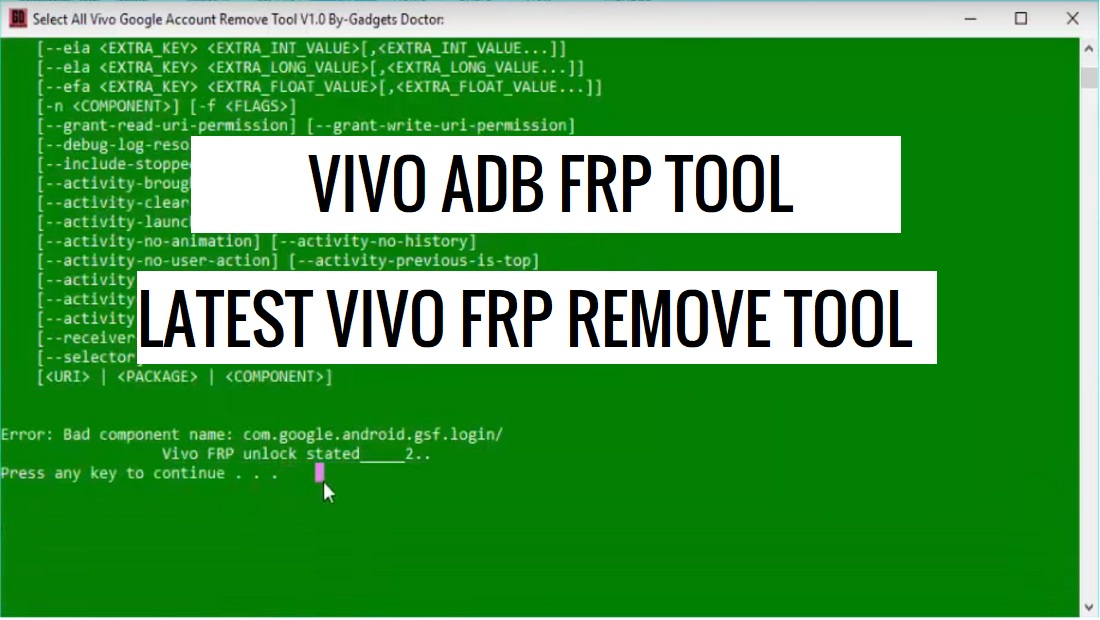
Vivo FRP Unlock Tool (Vivo FRP Reset Tool 2020) free download

#
Download Vivo FRP Unlock Tool without box. Welcome back, Today I share with you Vivo FRP Unlock Tool without box. Vivo FRP Unlock Tool is one of the most rated, used and comprehensive tools which provide around the clock services to their users. You have had used tons of tools to engage with the problems with your Android but, believe me, none of them would be able to reach the level of the Vivo FRP Unlock Tool.

Today we're releasing Vivo FRP Unlock Tool
. As you may know, this is our second release on Vivo FRP Unlock Tool. This version is not the

latest but we decided we will give the opportunity to others to get a taste at this tool and if like it. Then you can support the developer by buying original dongles.   


Nowadays, all the latest Android devices come with a Security system to protect the device and owner information. The latest Android devices build-up with Screen lock protection, data encryption, and also comes with Factory Reset Protection (FRP). FRP is the abbreviation of (Factory Reset Protection), FRP is a new security feature


Added Features of Vivo FRP Tool update version:-

Added support: All Samsung latest and old devices are supported.

Download Vivo Bypass FRP Tool

File Name:- Vivo FRP Tool
Download Mobile Firmware
Bypass Frp:-FRP Bypass
File Size:- 45MB
DOWNLOAD :-Mirror 1 & Mirror 2 & Mirror 3